
In today’s search landscape, user experience is no longer optional; it’s a ranking factor. Google’s Core Web Vitals have evolved significantly over the past few years, shifting from basic loading metrics to more nuanced measurements of real-world performance.
If you want your website to compete in organic search, understanding what’s changed — and how to adapt — is essential.
In this guide, we’ll break down what’s new in Core Web Vitals and outline practical steps to help you stay ahead.
What Are Core Web Vitals?
Core Web Vitals are a set of performance metrics introduced by Google to measure real-world user experience on websites. These metrics focus on three primary areas:
- Loading performance
- Interactivity
- Visual stability
They are part of Google’s broader Page Experience signals and directly influence search rankings.
The three current Core Web Vitals metrics are:
- Largest Contentful Paint (LCP)
- Interaction to Next Paint (INP)
- Cumulative Layout Shift (CLS)
Let’s explore what’s changed.
What’s Changed in Core Web Vitals?
1. INP Replaced FID
The biggest recent update was Google replacing First Input Delay (FID) with Interaction to Next Paint (INP) in 2024.
Previously, FID measured the delay between a user’s first interaction and the browser’s response. However, it only measured the first interaction — which wasn’t always representative of overall responsiveness.
INP now measures:
- The responsiveness of all user interactions
- The longest interaction delay during a page visit
- Real-world interactivity performance
This change makes performance evaluation more realistic and more challenging.
2. Greater Emphasis on Real-World Data
Core Web Vitals rely heavily on real-user data from the Chrome User Experience Report (CrUX). This means:
- Lab scores alone are not enough
- You must monitor live user performance
- Mobile performance matters more than ever
Tools like Google Search Console and PageSpeed Insights now show INP data and highlight real-world performance issues.
Breaking Down the Current Metrics
1. Largest Contentful Paint (LCP)

What it measures:
The time it takes for the largest visible element (image, video, or block of text) to fully render.
Good benchmark:
Under 2.5 seconds
Common LCP issues:
- Slow server response time
- Render-blocking CSS and JavaScript
- Unoptimized images
- Poor hosting infrastructure
How to improve LCP:
- Use fast hosting and CDN
- Implement lazy loading (except for above-the-fold images)
- Compress and properly size images
- Preload critical resources
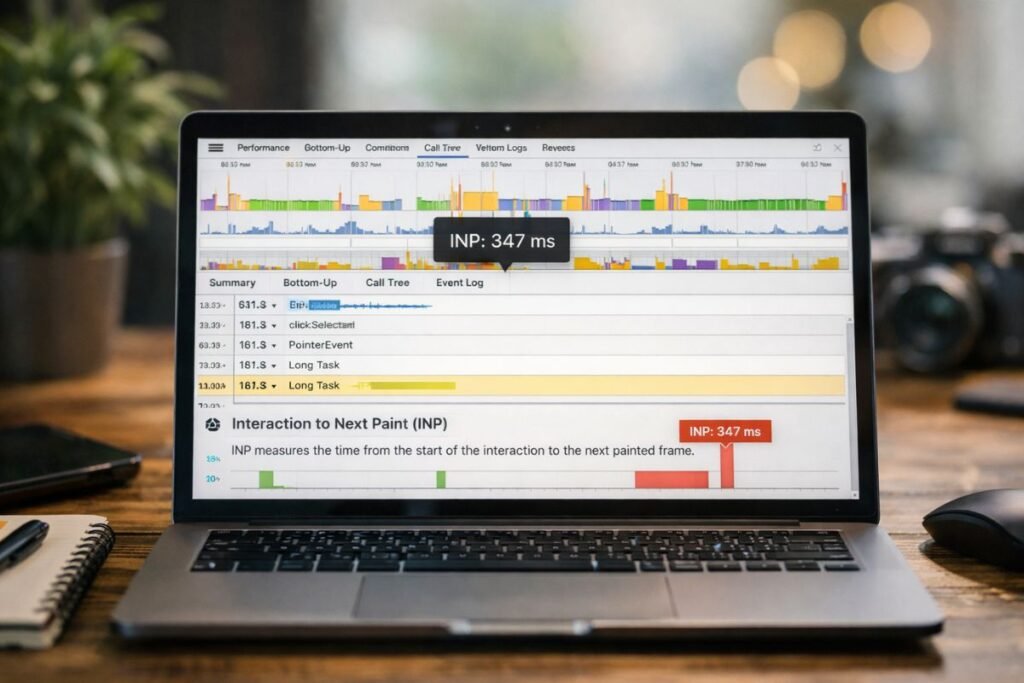
2. Interaction to Next Paint (INP)
What it measures:
The time between a user interaction (click, tap, keypress) and when the browser visually updates.
Good benchmark:
Under 200 milliseconds
Common INP issues:
- Heavy JavaScript execution
- Long tasks blocking the main thread
- Large third-party scripts
- Poorly optimized event handlers
How to improve INP:
- Minimize unused JavaScript
- Split large JS bundles
- Use web workers
- Defer non-critical scripts
- Reduce third-party scripts
This is where many websites struggle today. Fixing INP often requires deep technical improvements — not just surface-level optimizations.
3. Cumulative Layout Shift (CLS)

What it measures:
Unexpected layout movement while a page loads.
Good benchmark:
Under 0.1
Common CLS causes:
- Images without dimensions
- Ads loading dynamically
- Fonts causing layout shifts
- Injected content above existing content
How to improve CLS:
- Always define width and height attributes
- Reserve space for ads and embeds
- Use font-display strategies
- Avoid inserting content above visible sections
Visual stability plays a critical role in user trust and engagement. Even small layout shifts can damage credibility.
Why Core Web Vitals Matter More Than Ever
Core Web Vitals are no longer “nice to optimize.” They directly impact:
- Organic rankings
- Crawl efficiency
- Conversion rates
- Bounce rates
- Mobile usability
- User retention
As competition increases, performance becomes a differentiator. Sites that feel fast and stable consistently outperform slow competitors — even when content quality is similar.
How to Stay Ahead of Core Web Vitals Updates
Google will continue refining performance metrics. Here’s how to stay future-proof:
1. Monitor Performance Monthly
Don’t treat Core Web Vitals as a one-time fix. Track:
- Mobile vs. desktop performance
- Template-level issues
- URL group trends in Search Console
- Real-user data shifts
2. Prioritize Mobile-First Optimization
Most Core Web Vitals issues appear on mobile due to:
- Slower devices
- Weaker connections
- JavaScript-heavy frameworks
Always optimize for the lowest-powered device first.
3. Reduce JavaScript Dependency
Modern websites rely heavily on JS frameworks, but overuse creates performance bottlenecks.
Consider:
- Server-side rendering (SSR)
- Static site generation (SSG)
- Code splitting
- Removing unnecessary plugins
4. Audit Third-Party Scripts
Marketing tags, chat widgets, tracking tools, and ads often hurt INP and LCP.
Ask:
- Do we need this script?
- Can it load after user interaction?
- Can it be delayed?
5. Combine Technical SEO with Performance Strategy
Core Web Vitals are deeply connected to technical SEO. Crawlability, site architecture, and rendering all influence performance.
Working with a Technical SEO expert ensures:
- JavaScript rendering issues are resolved
- Crawl budget is optimized
- Core Web Vitals align with search visibility goals
- Performance improvements support overall SEO strategy
Performance and SEO should never be separated — they are two sides of the same coin.
Final Thoughts
Core Web Vitals have evolved from simple loading metrics into comprehensive user experience signals. With INP replacing FID and greater reliance on real-world data, websites must now focus on consistent, interaction-level performance — not just initial load speed.
To stay ahead:
- Optimize continuously
- Reduce JavaScript complexity
- Monitor real-user data
- Improve mobile performance
- Align technical SEO with UX
Web performance is no longer a backend concern — it’s a competitive advantage. Businesses that proactively adapt to Core Web Vitals updates will win both rankings and user trust in the long run.